
Requirements
VertexAI API Permissions
- Go to Cloud VertexAI Library enable API.
- Select the
GCP Project ID. - Click on
Enable APIwhich enables the Data Catalog API on the respective project.
GCP Permissions
To execute metadata extraction workflow successfully the user or the service account should have enough access to fetch required data. Following table describes the minimum required permissionsMetadata Ingestion
To ingest metadata from Vertex AI, you need to create a service connection. The service connects Vertex AI with Collate. Once you create a service, Collate automatically starts ingesting metadata.Step 1: Add New Service
Open the Services page and start a new service.-
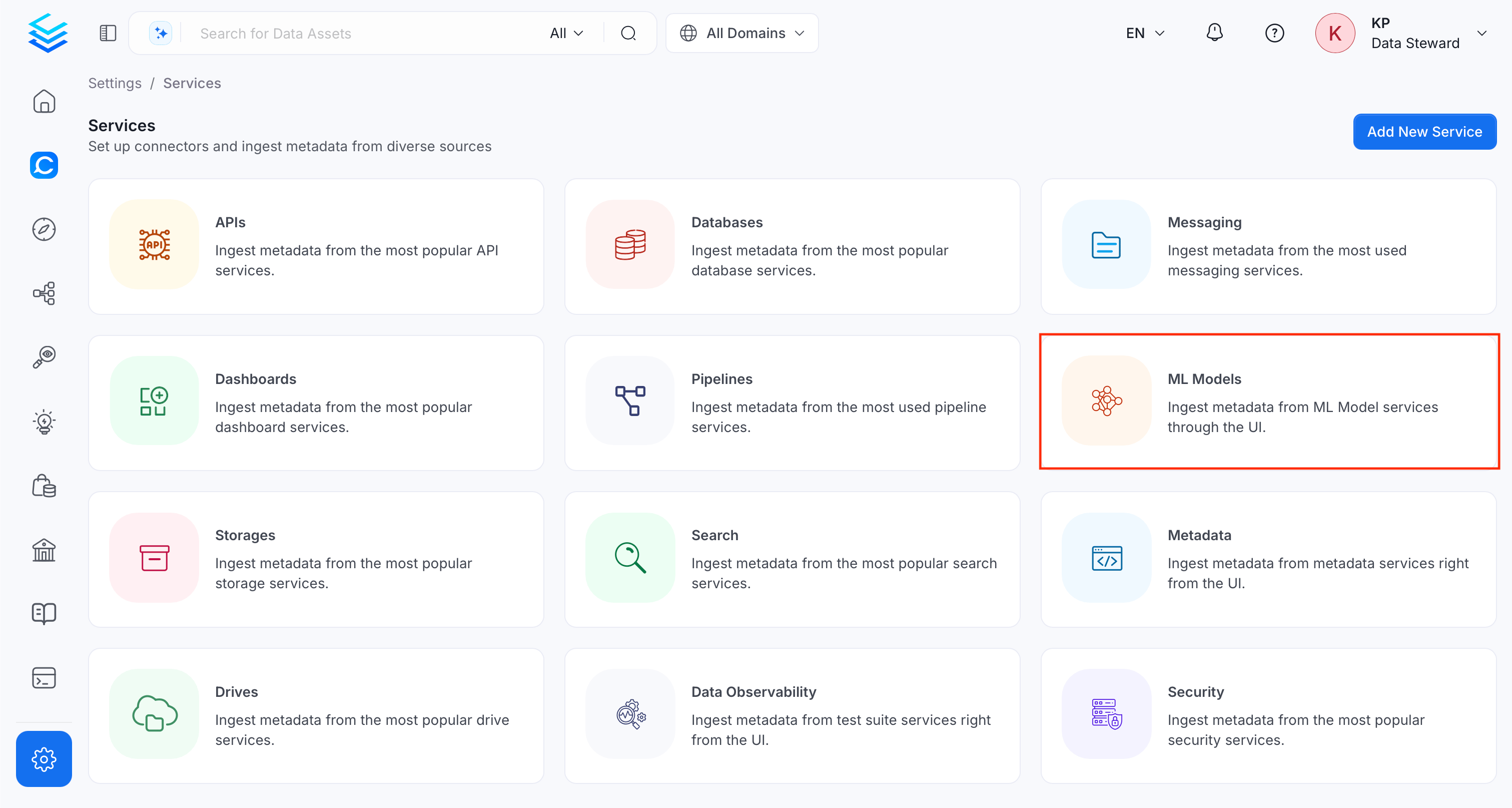
Navigate to Settings > Services and select the ML Models service.
-
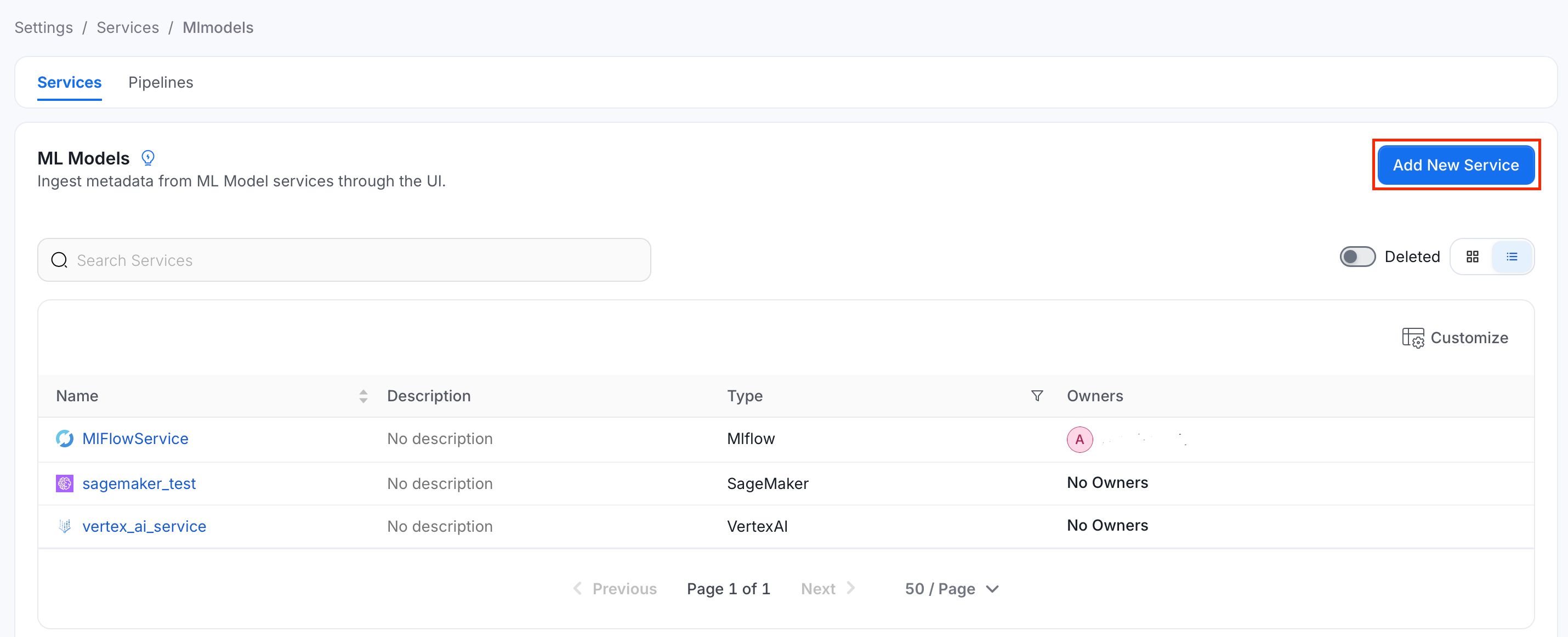
Click Add New Service.
Step 2: Select a Service and Connector
From the service type dropdown, select Mlmodel Services, then click the Vertex AI connector tile.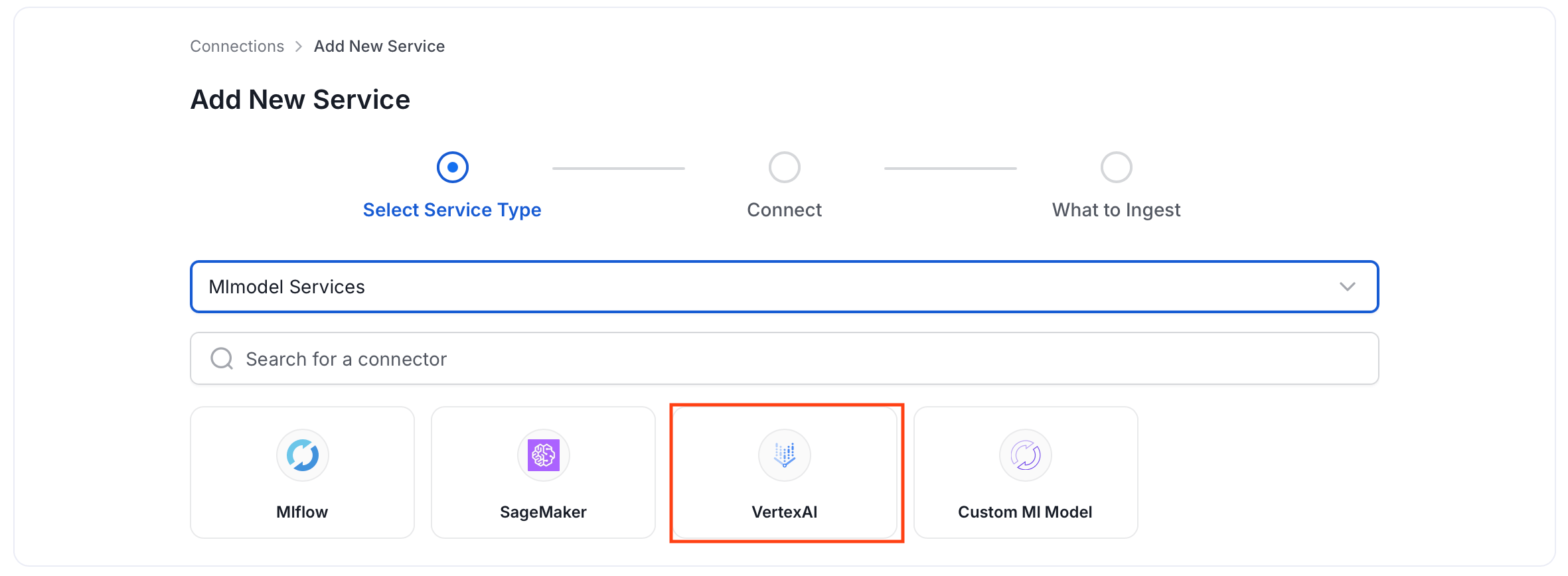
Step 3: Add Service Name and Description
- Enter a unique, descriptive Service Name. Collate identifies services by their service name. Enter a name that distinguishes this deployment from other Vertex AI services you are ingesting metadata from.
- Optional: Enter a Description for the service.
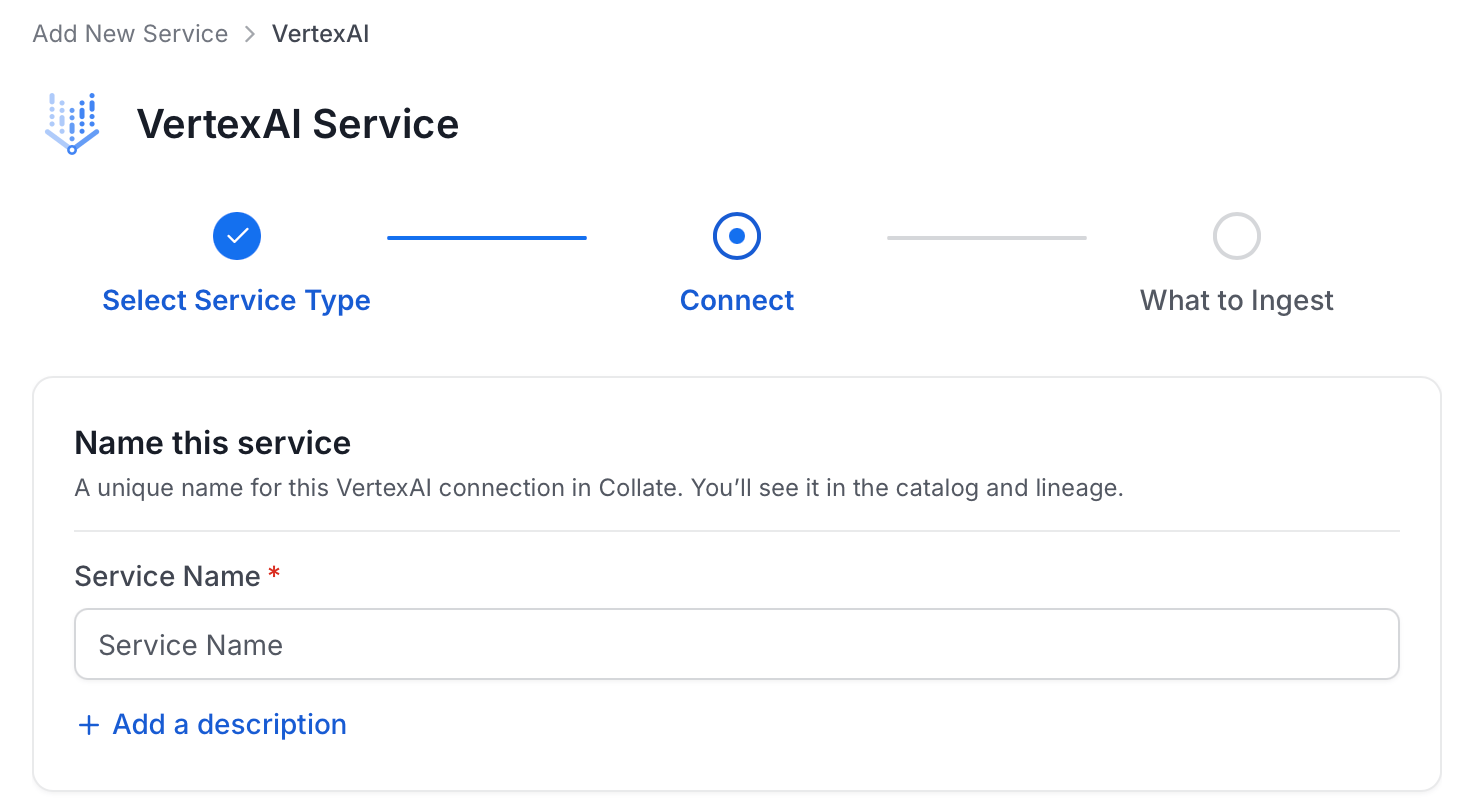
Note: The service name can’t be changed after you set it.
Step 4: Configure Connection Options
Specify where ingestion runs, provide your source credentials, and verify the connection.Select Ingestion Runner
Select an Ingestion Runner: the runner where the ingestion pipeline will execute.
Enter Connection Details
Enter the connection details for Vertex AI. The right-hand panel in the UI displays inline help for each field.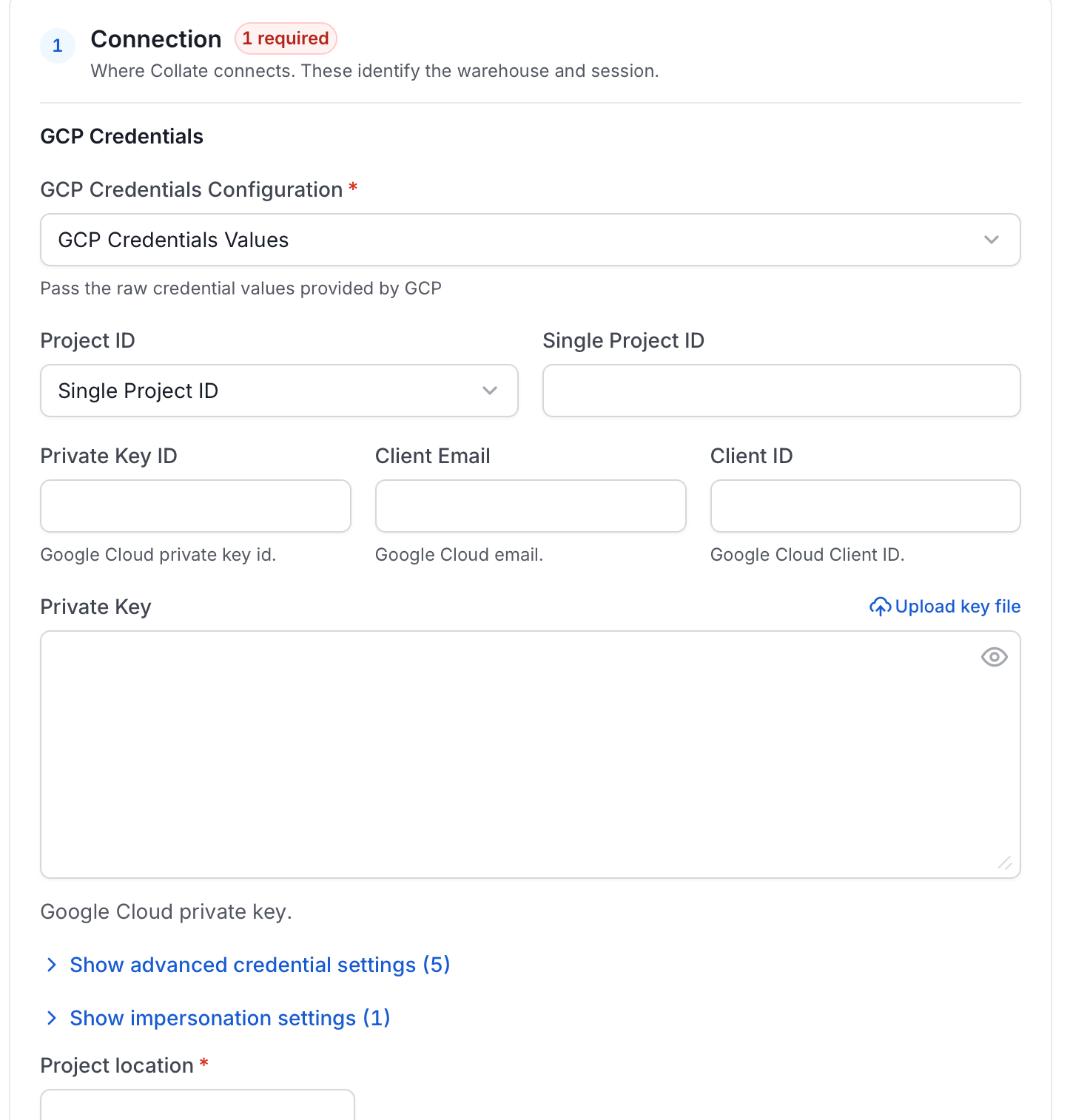
- GCP Credentials: You can authenticate with your VertexAI instance using either
GCP Credentials Pathwhere you can specify the file path of the service account key or you can pass the values directly by choosing theGCP Credentials Valuesfrom the service account key file. You can check out the service account keys documentation to learn how to create and download service account keys.- GCP Credentials Values: Passing the raw credential values provided by VertexAI. This requires the following information, all provided by VertexAI:
- Credentials type: Credentials Type is the type of the account, for a service account the value of this field is
service_account. To fetch this key, look for the value associated with thetypekey in the service account key file. - Project ID: A project ID is a unique string used to differentiate your project from all others in Google Cloud. To fetch this key, look for the value associated with the
project_idkey in the service account key file. You can also pass multiple project id to ingest metadata from different VertexAI projects into one service. - Private Key ID: This is a unique identifier for the private key associated with the service account. To fetch this key, look for the value associated with the
private_key_idkey in the service account file. - Private Key: This is the private key associated with the service account that is used to authenticate and authorize access to VertexAI. To fetch this key, look for the value associated with the
private_keykey in the service account file. - Client Email: This is the email address associated with the service account. To fetch this key, look for the value associated with the
client_emailkey in the service account key file. - Client ID: This is a unique identifier for the service account. To fetch this key, look for the value associated with the
client_idkey in the service account key file. - Auth URI: This is the URI for the authorization server. To fetch this key, look for the value associated with the
auth_urikey in the service account key file. The default value for Auth URI ishttps://accounts.google.com/o/oauth2/auth. - Token URI: The Google Cloud Token URI is a specific endpoint used to obtain an OAuth 2.0 access token from the Google Cloud IAM service. This token lets you authenticate and access various Google Cloud resources and APIs that require authorization. To fetch this key, look for the value associated with the
token_urikey in the service account credentials file. The default token URI ishttps://oauth2.googleapis.com/token. - Authentication Provider X509 Certificate URL: This is the URL of the certificate that verifies the authenticity of the authorization server. To fetch this key, look for the value associated with the
auth_provider_x509_cert_urlkey in the service account key file. The default value for Auth Provider X509Cert URL ishttps://www.googleapis.com/oauth2/v1/certs. - Client X509Cert URL: This is the URL of the certificate that verifies the authenticity of the service account. To fetch this key, look for the value associated with the
client_x509_cert_urlkey in the service account key file.
- Credentials type: Credentials Type is the type of the account, for a service account the value of this field is
- GCP Credentials Path: Passing a local file path that contains the credentials.
- GCP Credentials Values: Passing the raw credential values provided by VertexAI. This requires the following information, all provided by VertexAI:
- Location: Location refers to the geographical region where your resources, such as datasets, models, and endpoints, are physically hosted (for example,
us-central1,europe-west4).
Test Connection
- Click Test Connection to verify the credentials.
- After the test succeeds, click Save.

Step 5: Configure Ingestion Options
In the What to Ingest step, use filter patterns to control which assets Collate ingests from your ML model service. Filter rules match model names using the following match types.How Filter Patterns Work
- Include: Add one or more comma-separated values. Each value uses one of the following match types. Collate ingests only assets whose names match at least one rule. Leave blank to include all assets.
- Exclude: Add one or more comma-separated values. Each value uses one of the following match types. Collate skips any asset whose name matches a rule. Leave blank to exclude nothing.
- contains: matches any name containing the value. For example,
salesmatchesmy_sales_dataandsales_2024. - starts with: matches names beginning with the value. For example,
prod_matchesprod_dbandprod_schema. - ends with: matches names ending with the value. For example,
_rawmatchesevents_rawandlogs_raw. - is exactly: matches the exact name only. For example,
analyticsmatches onlyanalytics. - matches regex: matches names using a regular expression. For example,
^prod_.*_v\d+$matchesprod_events_v1.
Filter Options
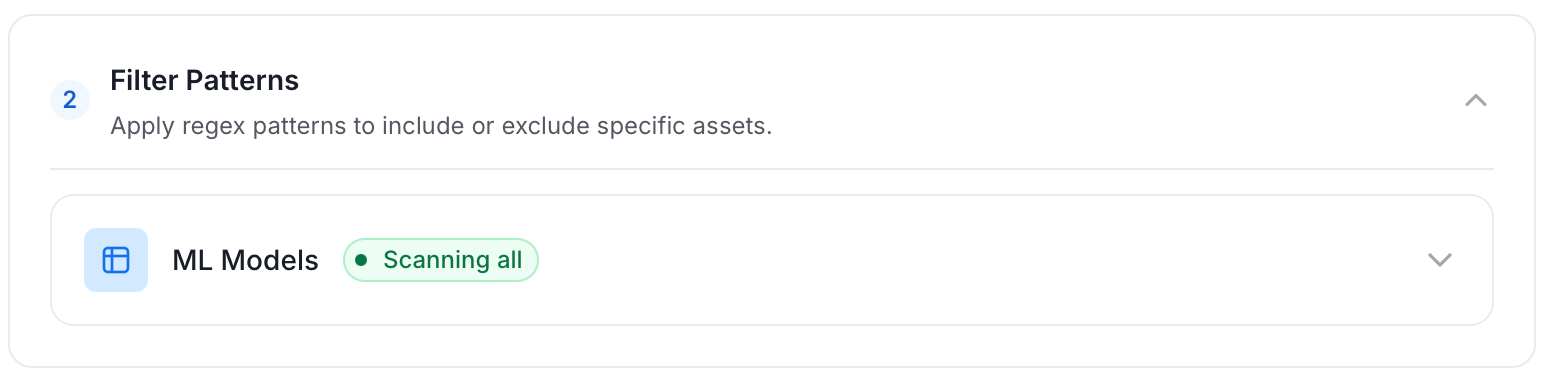
The ML Model section includes the following filter options:- ML Model: Controls which ML models Collate ingests from the source.
- Scan Mode: Choose between the following scan modes:
- Scan all: Ingests every asset of that type the connector can access. This is the default.
- Only specific: Enables include rules so only assets matching at least one rule are ingested.
- Exclude system toggle: Use this toggle to filter out system-reserved names defined by the connector for that asset type.
- Always exclude: Add permanent exclusion rules (shown in red). Assets matching these rules are never ingested, regardless of include rules.
- Preview: Shows a real-time summary of what will be in scope based on your current rules.
- Include rules: In Only specific mode, click + Add to define a rule. Added rules appear as chips. An asset is included if it matches any rule.
Step 6: Create & Deploy
Click Create & Deploy to deploy the agent and start the first metadata ingestion run. Collate saves the service configuration and immediately begins pulling metadata from the source. To monitor ingestion progress or view the service you just added, go to Settings > Services and select your service.Configure Metadata Agent and Schedule Ingestion
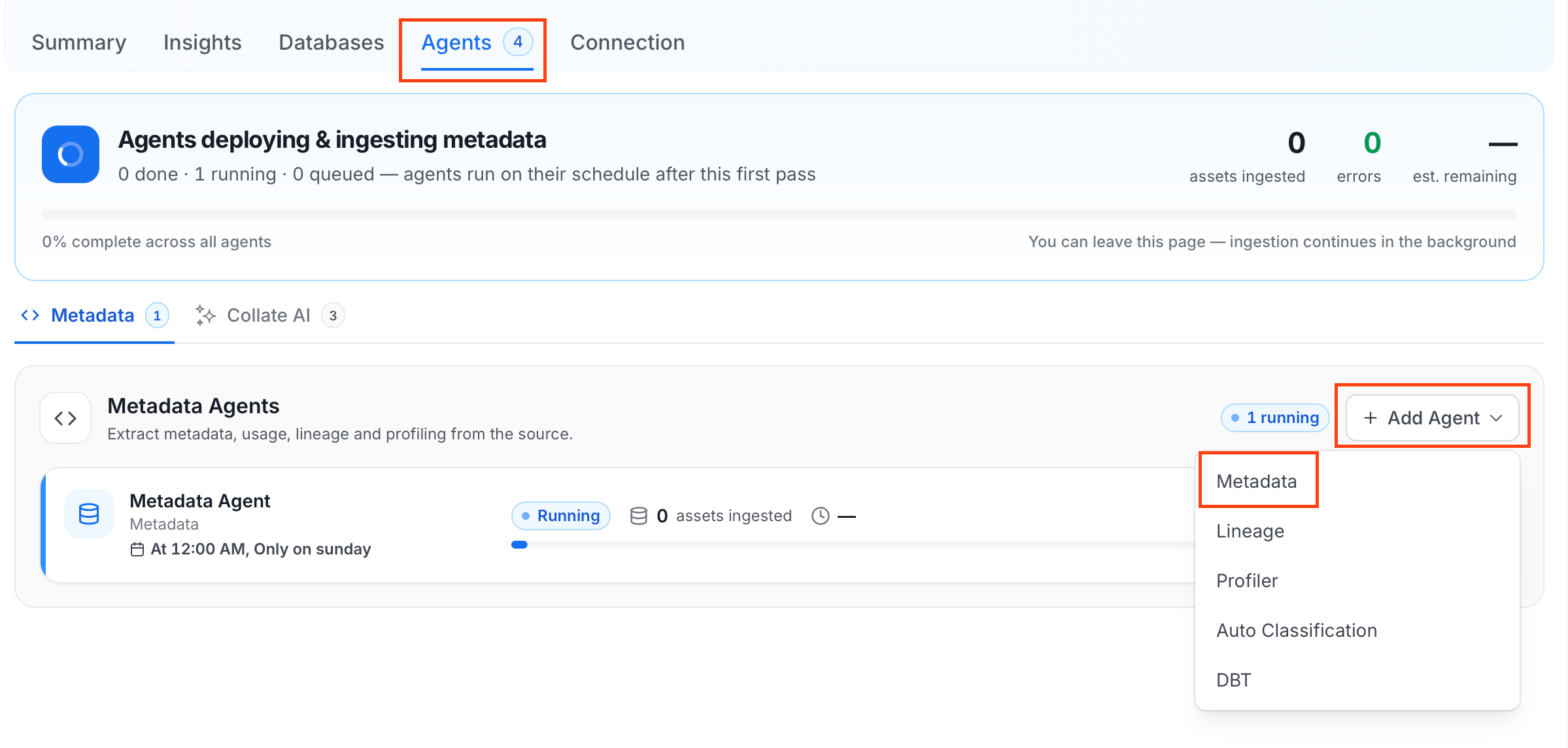
The Metadata Agent extracts ML models, features, and other structural metadata from your source and keeps your Collate catalog in sync. It powers discovery, lineage, and governance across your data assets. When you click Create & Deploy, Collate automatically deploys a Metadata Agent for this service and triggers the first ingestion run. View its status and run history from the Agents tab on the service detail page. To configure the additional Metadata Agent and schedule ingestion, follow these steps:- Navigate to Settings > Services and select the ML Models service.
- Select your service and click the Agents tab.
-
Click Add Agent and select Metadata from the dropdown.
-
On the Configure Ingestion page, do the following and click Next.
-
Name this Ingestion: Enter a unique, recognizable name for this ingestion pipeline.

-
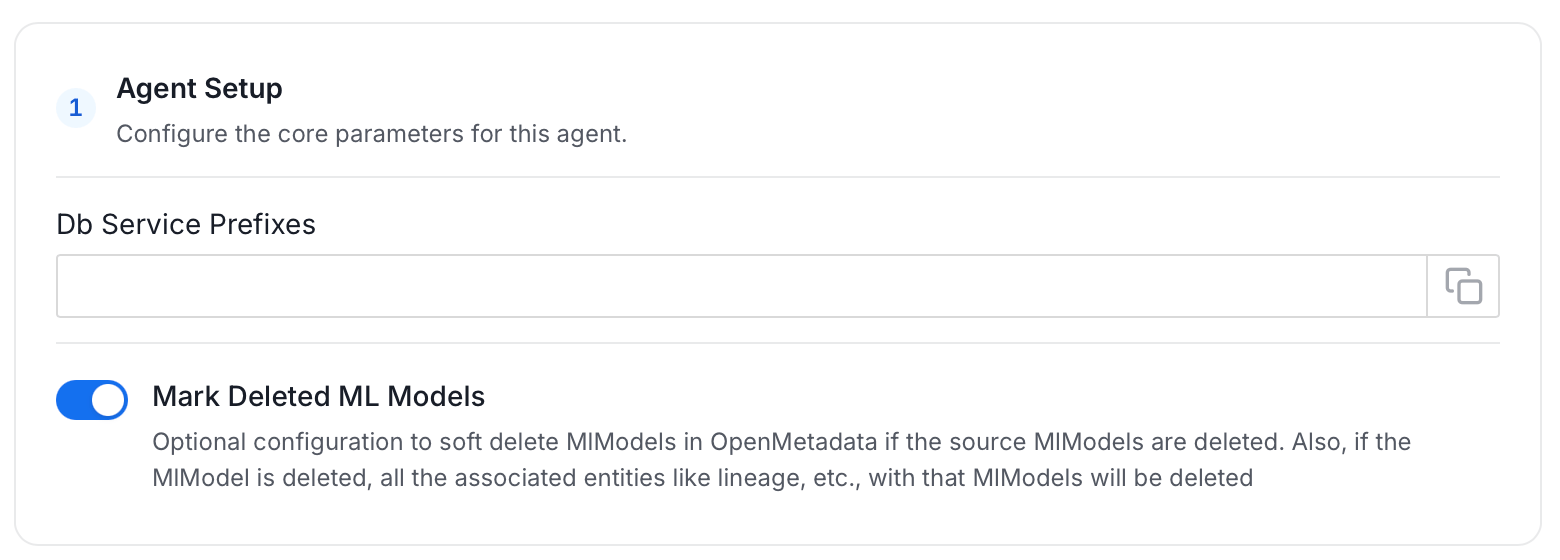
Agent Setup: Configure the core parameters for this agent. The following fields are available:
-
Filter Patterns: Apply include or exclude rules to scope which ML models this agent ingests. These follow the same filter options described in Step 5.
-
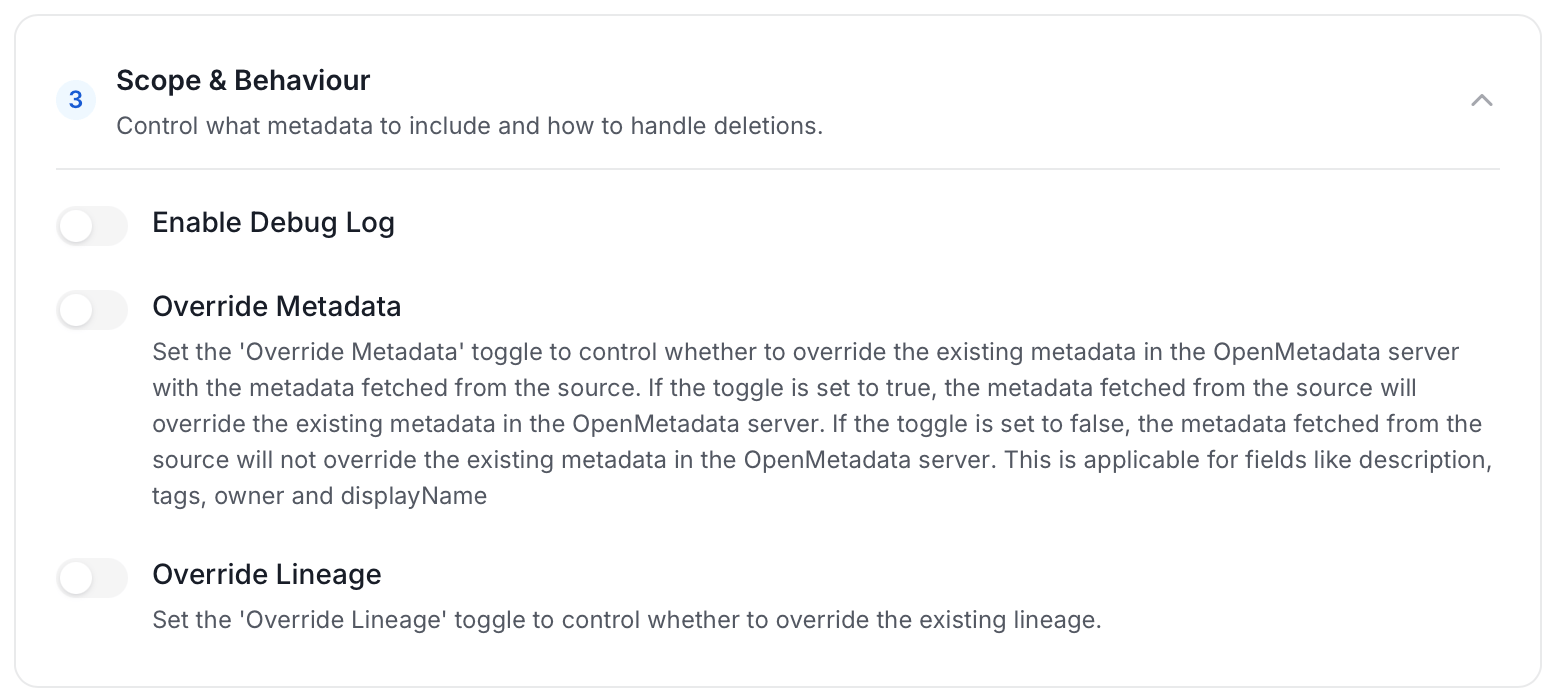
Scope & Behaviour: Control what metadata to include and how to handle deletions. Toggle each option on or off based on your needs:
-
Name this Ingestion: Enter a unique, recognizable name for this ingestion pipeline.
-
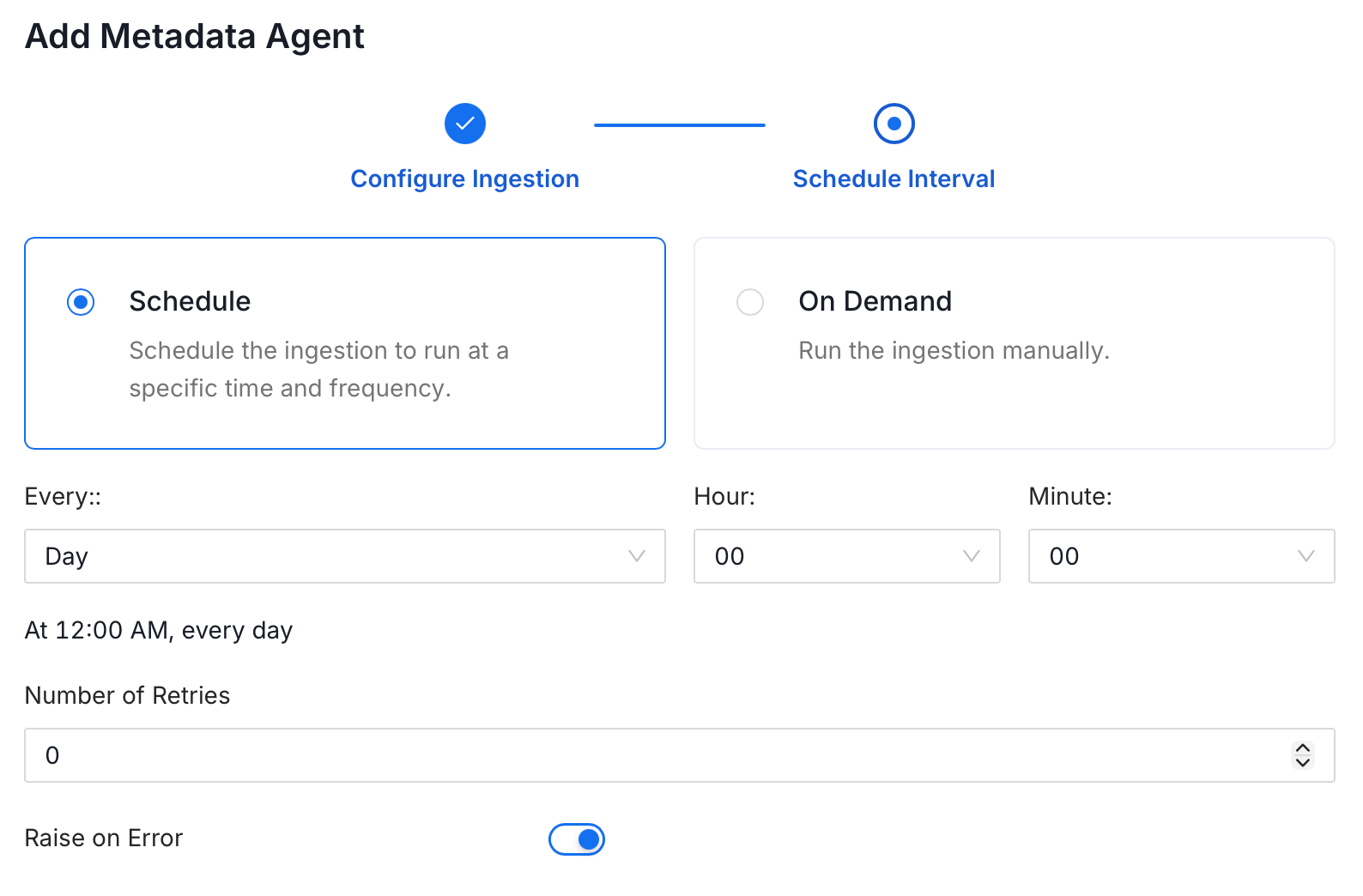
On the Schedule Interval page, set when the agent runs:
- Schedule: Choose a preset interval (Hourly, Daily, Weekly, Monthly) or enter a custom cron expression.
- On-Demand: No automatic schedule. Trigger the agent manually when needed.
- Click Add to deploy the agent.
Troubleshooting
VertexAI Troubleshooting
Learn more about how to troubleshoot common VertexAI connector issues and resolve configuration or ingestion errors.