> ## Documentation Index
> Fetch the complete documentation index at: https://docs.getcollate.io/llms.txt
> Use this file to discover all available pages before exploring further.
# Auth0 SSO for Docker | Collate Deployment Guide
> Set up Azure Authorization Code Flow to authenticate users via backend services, using secure token exchange and standards-based login flow.
# Auth Code Flow
### Step 1: App Registrations
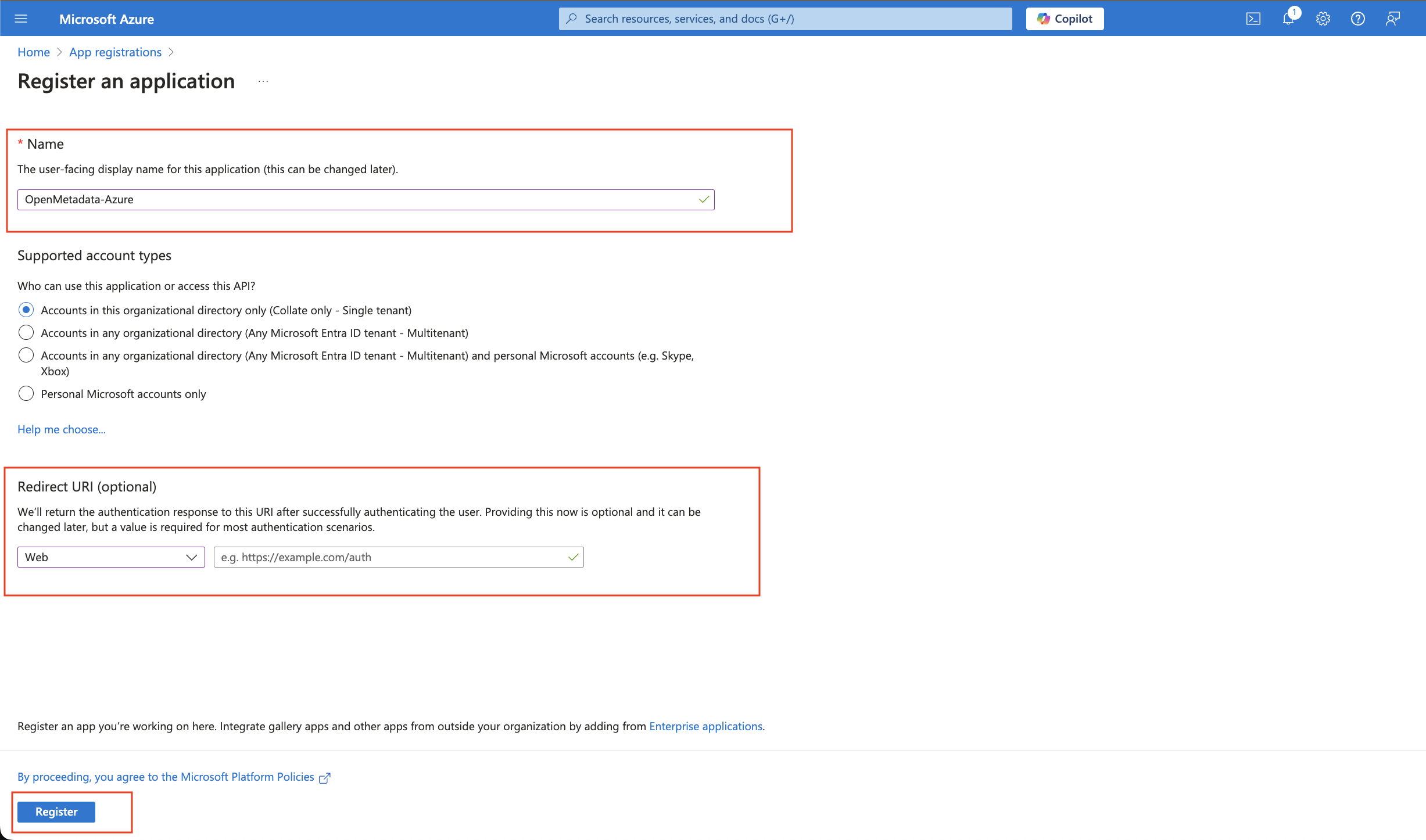
* Provide an Application Name for registration.
* Provide a redirect URL as a Auth Code Flow.
* Click on Register.
 ### Step 2: Where to Find the Credentials
* The `Client ID` and the `Tenant ID` are displayed in the Overview section of the registered application.
### Step 2: Where to Find the Credentials
* The `Client ID` and the `Tenant ID` are displayed in the Overview section of the registered application.
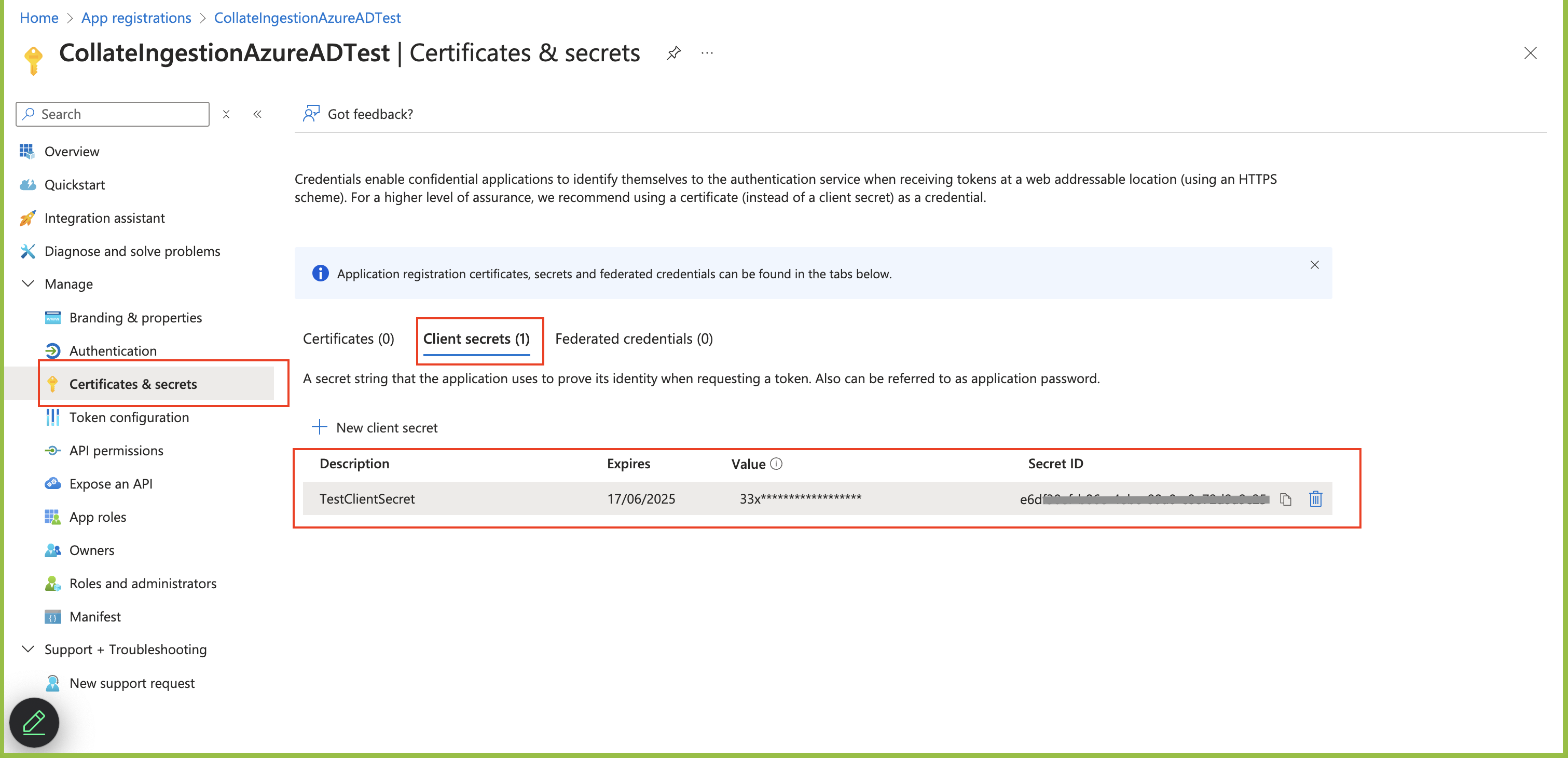 * When passing the details for `authority`, the `Tenant ID` is added to the URL as shown in the example
below. `https://login.microsoftonline.com/TenantID`
```commandline theme={null}
"authority": "https://login.microsoftonline.com/c11234b7c-b1b2-9854-0mn1-56abh3dea295"
```
For Azure authorization code flow with MCP OAuth, include `offline_access` in the OIDC scope so Azure AD can issue refresh tokens.
Use `openid email profile offline_access`.
* When passing the details for `authority`, the `Tenant ID` is added to the URL as shown in the example
below. `https://login.microsoftonline.com/TenantID`
```commandline theme={null}
"authority": "https://login.microsoftonline.com/c11234b7c-b1b2-9854-0mn1-56abh3dea295"
```
For Azure authorization code flow with MCP OAuth, include `offline_access` in the OIDC scope so Azure AD can issue refresh tokens.
Use `openid email profile offline_access`.