> ## Documentation Index
> Fetch the complete documentation index at: https://docs.getcollate.io/llms.txt
> Use this file to discover all available pages before exploring further.

# Auth0 SSO for Docker | Collate Deployment Guide

> Implement Auth0 Authorization Code Flow to manage user authentication securely with backend service token exchange and login session tracking.

# Auth Code Flow

### Step 1: Create a New Application

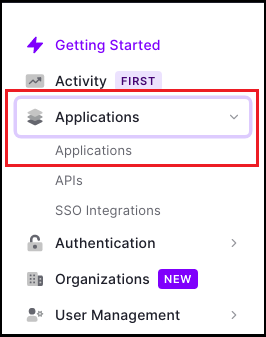
* Once you are on the Dashboard page, click on `Applications > Applications` available on the left-hand side panel.
<img src="https://mintcdn.com/collatedocs/cOe_QuHYxAbkMtTI/public/images/deployment/security/auth0/create-new-app-1.png?fit=max&auto=format&n=cOe_QuHYxAbkMtTI&q=85&s=b327d593f7916fb6dd8bccdffdf58aa1" alt="create-app" width="266" height="337" data-path="public/images/deployment/security/auth0/create-new-app-1.png" />

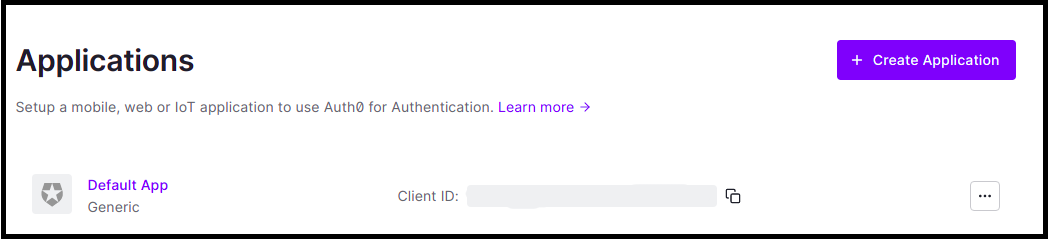
* Click on `Create Application`.

<img src="https://mintcdn.com/collatedocs/cOe_QuHYxAbkMtTI/public/images/deployment/security/auth0/create-new-app-2.png?fit=max&auto=format&n=cOe_QuHYxAbkMtTI&q=85&s=36a910a69aea20c9ebb6c9f4efc97ea1" alt="create-app" width="1048" height="239" data-path="public/images/deployment/security/auth0/create-new-app-2.png" />

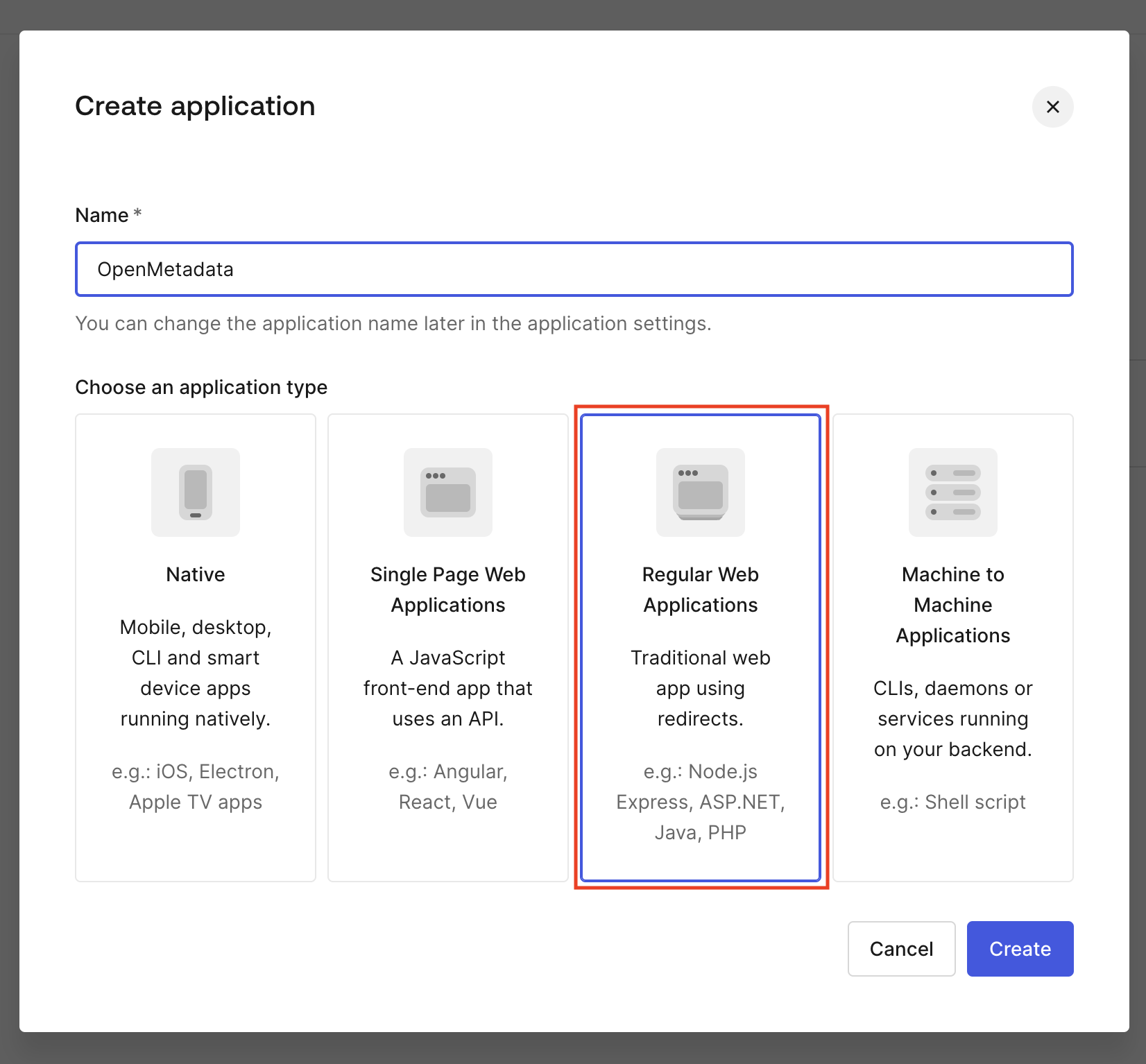
* Enter the Application name.
* Choose an application type and click on `Create`.
<img src="https://mintcdn.com/collatedocs/cOe_QuHYxAbkMtTI/public/images/deployment/security/auth0/auth-code-flow-1.png?fit=max&auto=format&n=cOe_QuHYxAbkMtTI&q=85&s=587cb383251981dde332204374049614" alt="create-app" width="1652" height="1534" data-path="public/images/deployment/security/auth0/auth-code-flow-1.png" />

### Step 2: Where to Find the Credentials

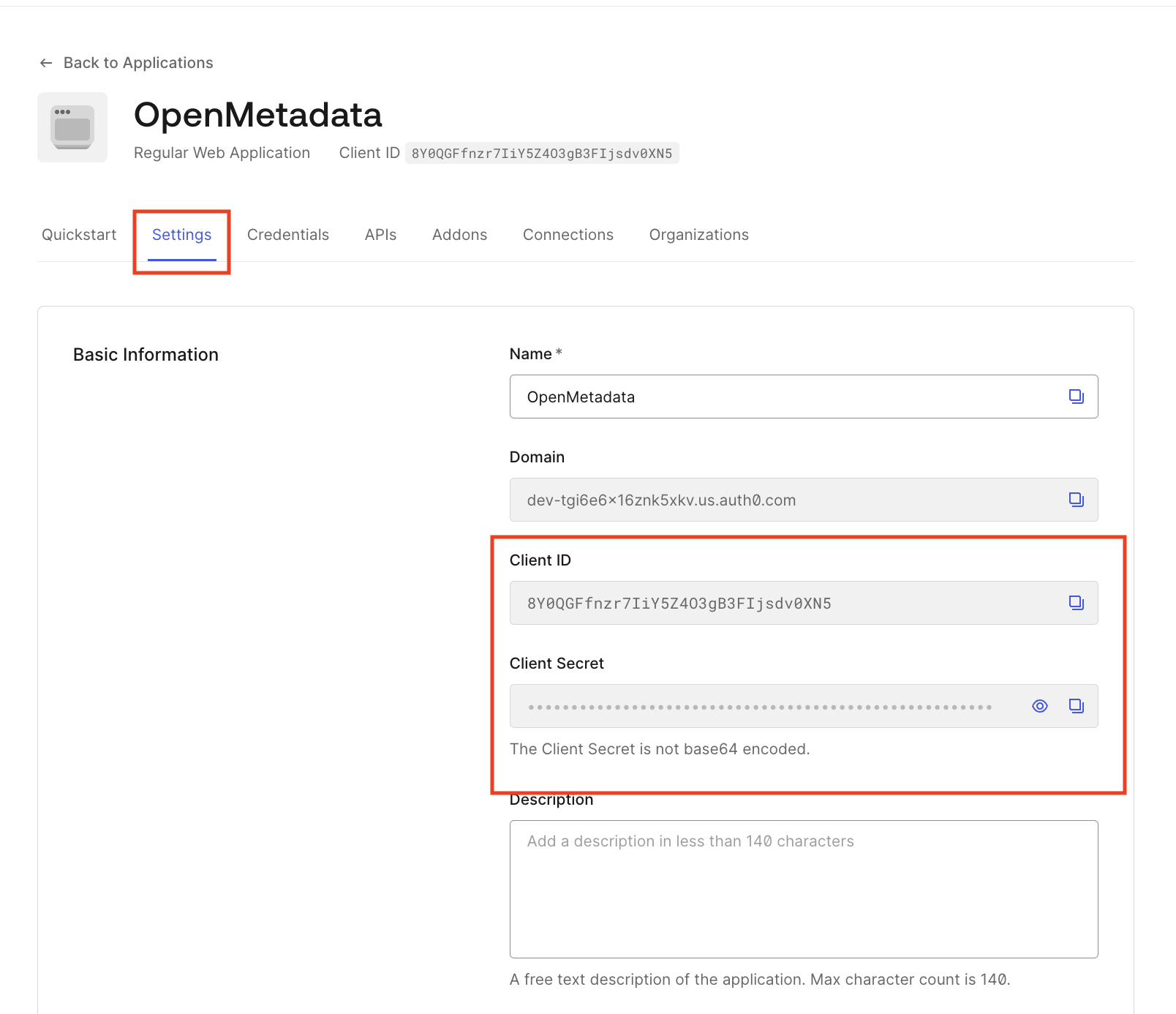
* Navigate to the Settings tab.
* You will find your `Client ID` and `Client Secret`.
<img src="https://mintcdn.com/collatedocs/cOe_QuHYxAbkMtTI/public/images/deployment/security/auth0/auth-code-flow-2.png?fit=max&auto=format&n=cOe_QuHYxAbkMtTI&q=85&s=fb118a08d65227ef4a13235ccaaa44fa" alt="credentials" width="1608" height="1386" data-path="public/images/deployment/security/auth0/auth-code-flow-2.png" />