> ## Documentation Index
> Fetch the complete documentation index at: https://docs.getcollate.io/llms.txt
> Use this file to discover all available pages before exploring further.
# How to Create a Personal Access Token | Official Documentation
> Create personal access tokens to authenticate API requests to OpenMetadata.
# How to Create a Personal Access Token
Personal Access Tokens (PATs) in OpenMetadata let you authenticate and interact with the Collate API securely. Follow the steps below to generate a new personal access token.
## Prerequisites
* You have a valid OpenMetadata user account.
* You have access to the OpenMetadata UI.
## Steps to Create a Personal Access Token
1. **Log in to the OpenMetadata UI**
* Navigate to your OpenMetadata instance.
* Enter your credentials to log in.
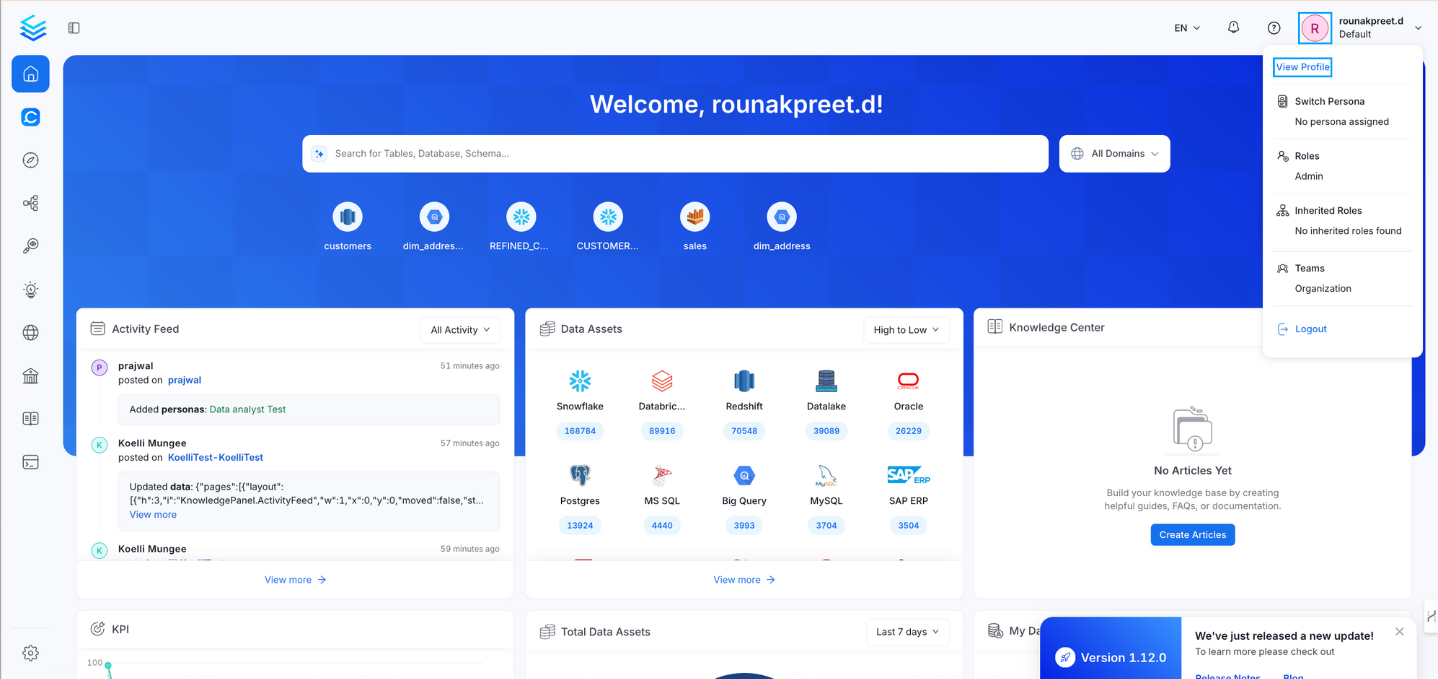
2. **Access your profile**
* Click your profile icon in the top-right corner of the UI.
* Select **View Profile** from the dropdown menu.
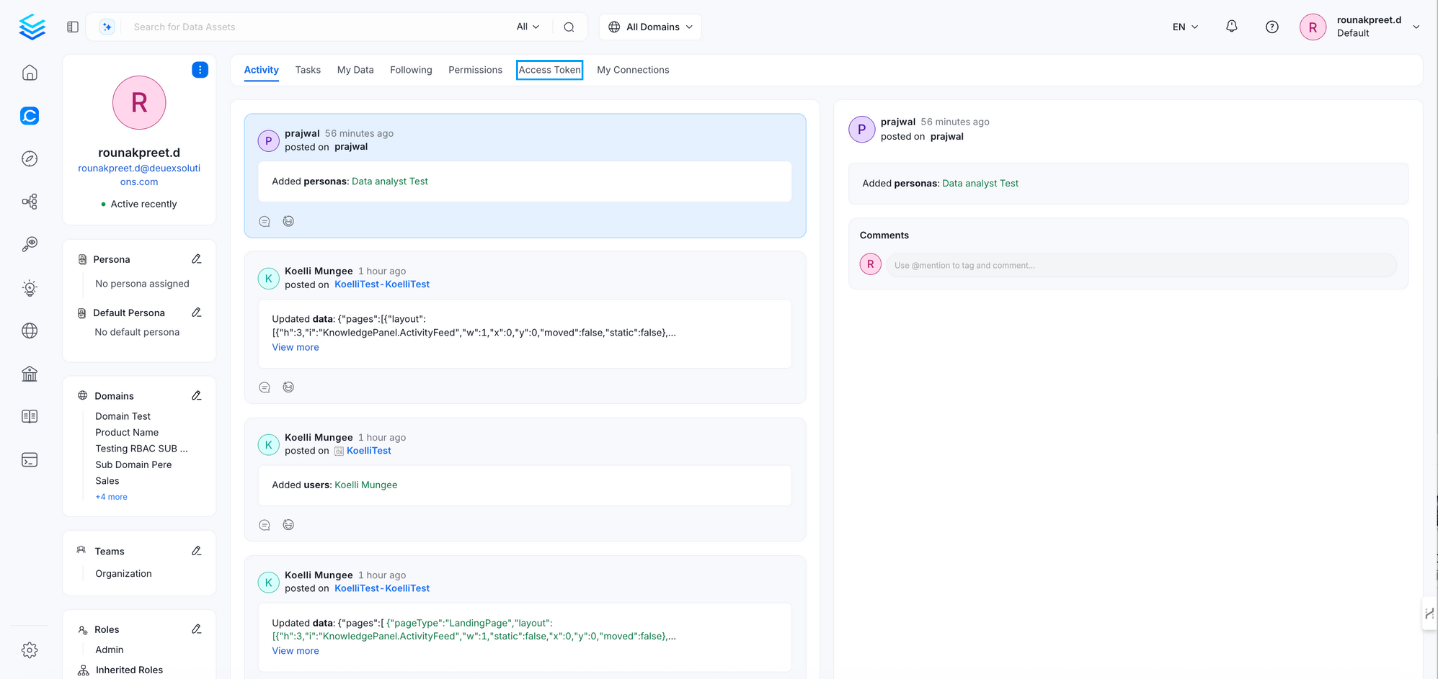
 3. **Open the Access Tokens tab**
* In your profile page, click the **Access Tokens** tab.
3. **Open the Access Tokens tab**
* In your profile page, click the **Access Tokens** tab.
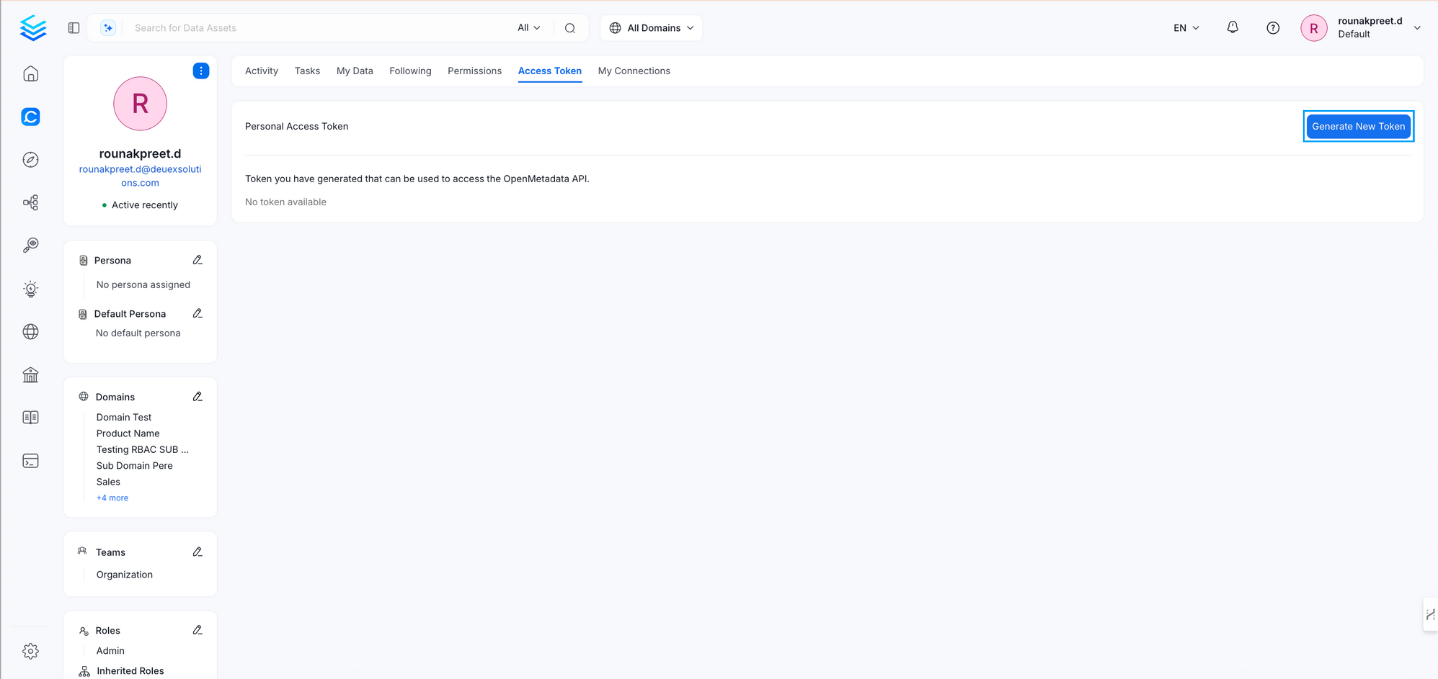
 4. **Generate a new token**
* Click **Generate New Token**.
4. **Generate a new token**
* Click **Generate New Token**.
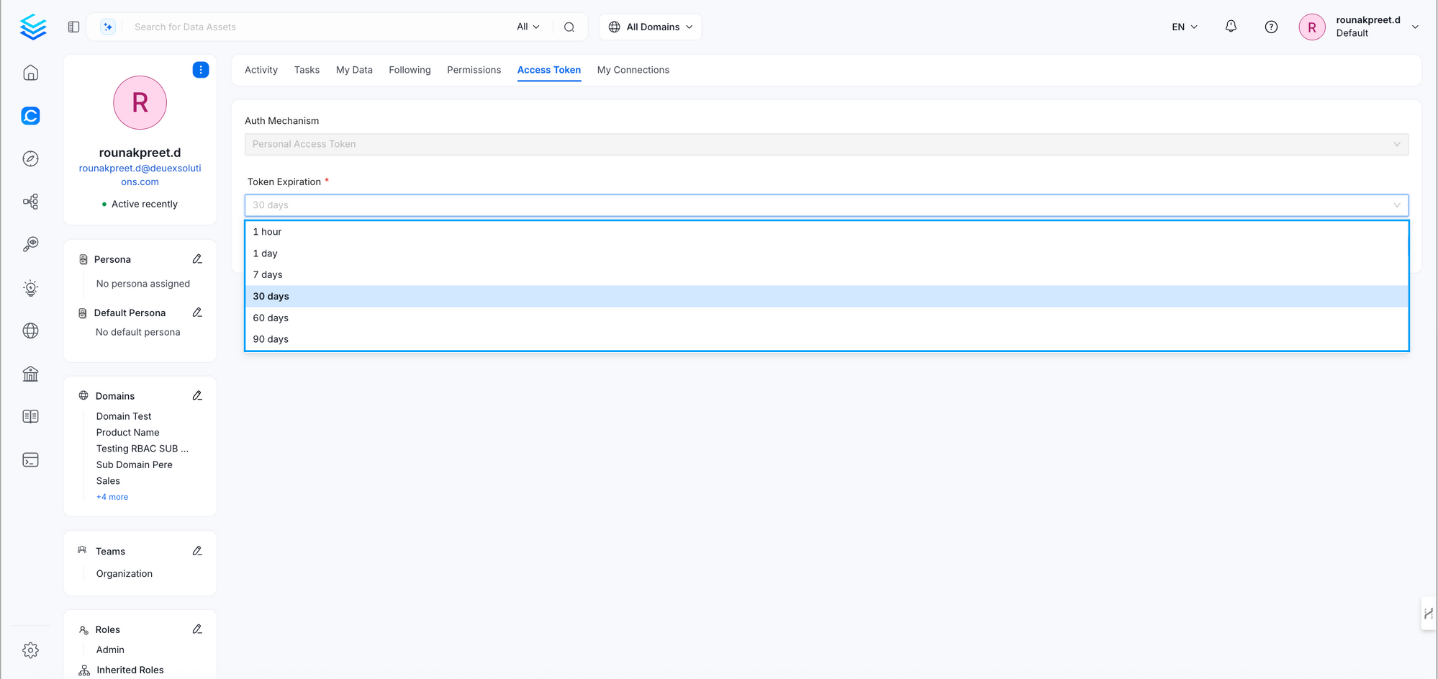
 5. **Set token expiration**
* Choose an expiration period for the token. Available options typically include:
* 1 hour
* 1 day
* 7 days
* 30 days
* 60 days
5. **Set token expiration**
* Choose an expiration period for the token. Available options typically include:
* 1 hour
* 1 day
* 7 days
* 30 days
* 60 days
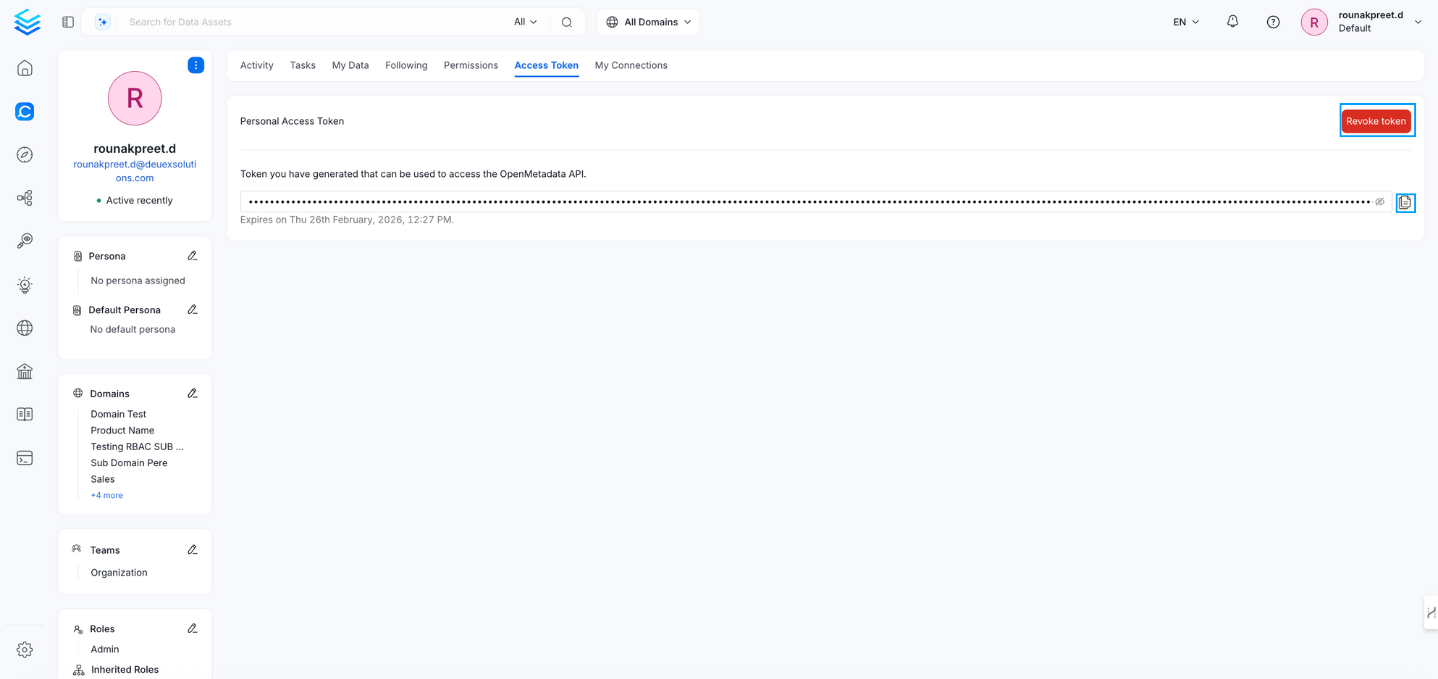
 6. **Copy your token**
* After generation, the personal access token is displayed.
* You can revoke a token at any time by selecting **Revoke Token**.
* Copy and securely store the token, as you may not be able to view it again later.
6. **Copy your token**
* After generation, the personal access token is displayed.
* You can revoke a token at any time by selecting **Revoke Token**.
* Copy and securely store the token, as you may not be able to view it again later.
 ## Usage
Use the generated token to authenticate API requests to OpenMetadata. Include it in the Authorization header as follows:
```bash theme={null}
Authorization: Bearer
```
## Usage
Use the generated token to authenticate API requests to OpenMetadata. Include it in the Authorization header as follows:
```bash theme={null}
Authorization: Bearer
```