> ## Documentation Index
> Fetch the complete documentation index at: https://docs.getcollate.io/llms.txt
> Use this file to discover all available pages before exploring further.
# Relation Types | Collate Ontology Guide
> Configure the relationship types available between glossary terms, including custom types with characteristics, cardinality, RDF predicate mapping, and color coding.
# Relation Types
Every edge in the [Ontology Studio](/ai-2-0/how-to-guides/ontology/studio) graph, and every option in its **Relationship Type** filter, is backed by a relation type definition. Collate ships a set of system-defined types (**Related To**, **Part Of**, **Broader**, **Synonym**, and others) and lets admins add their own to model relationships specific to their domain.
Manage them at **Settings** > **Governance** > **Glossary Term Relations**. The page is admin-only.
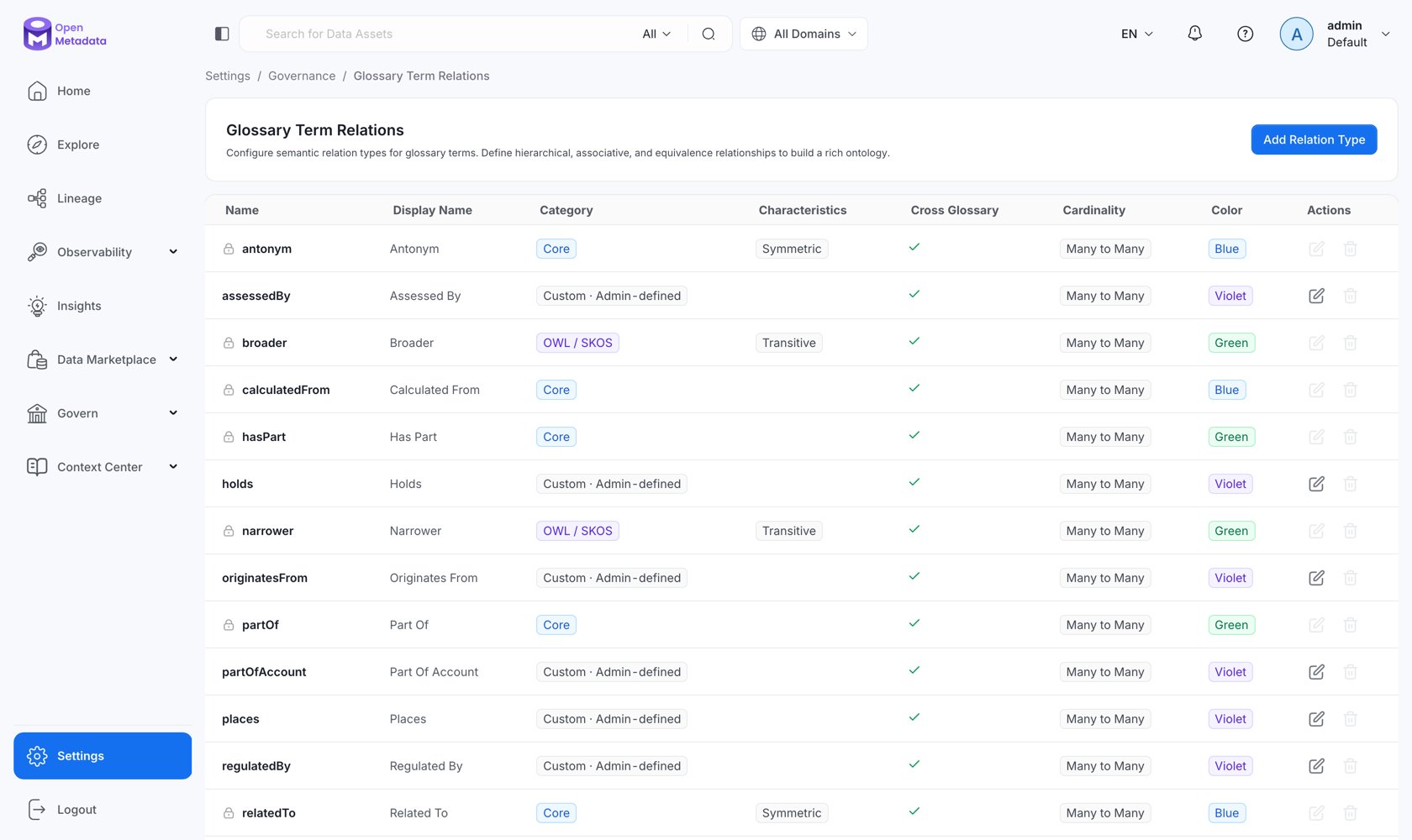 The full reference, every field, the shipped types, and design guidance, is here:
Categories, OWL characteristics, cardinality, inverse relations, RDF predicates, property chains, and disjointness.
How relationship types fit into the wider ontology model.
The full reference, every field, the shipped types, and design guidance, is here:
Categories, OWL characteristics, cardinality, inverse relations, RDF predicates, property chains, and disjointness.
How relationship types fit into the wider ontology model.